Logitech MeetUp Conference Cam
Our choice for a conference cam for a small meeting room
This is the one
Logitech MeetUp Conference Cam

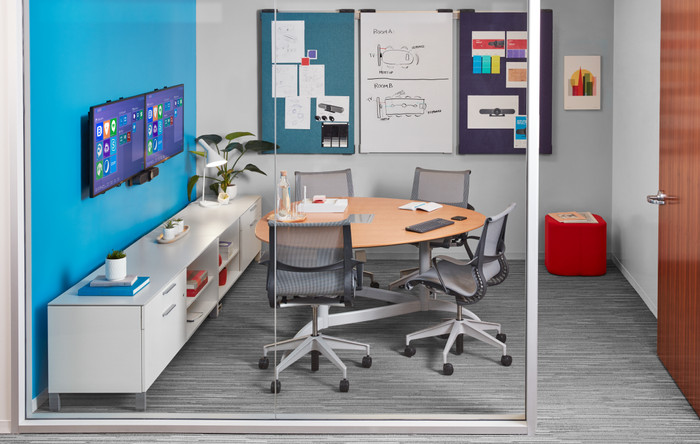
Our choice for a conference cam for a small meeting room
Current product
421,-
524,-
4K Cinema
Full HD (1080p)
Yes
Yes
Windows, macOS
Windows, macOS
Yes
Yes
According to our webcam expert
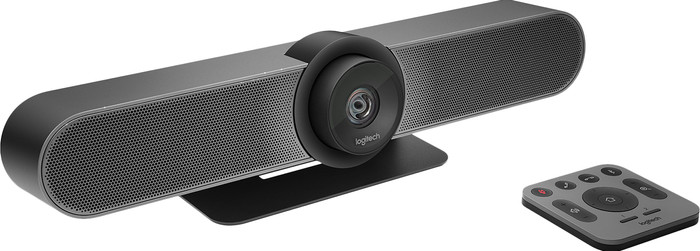
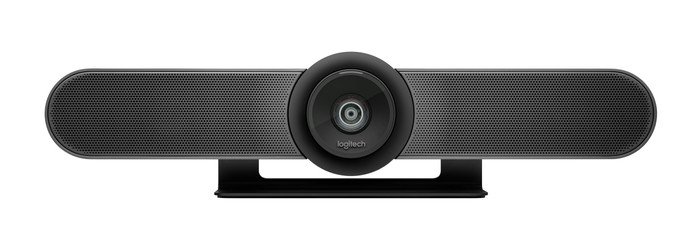
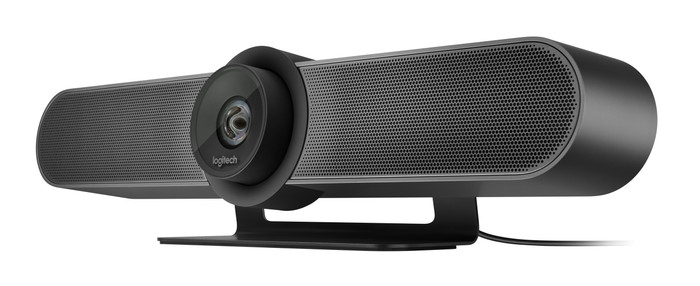
With the Logitech MeetUp Conference Cam you can be heard and seen during conference calls, even in small spaces. The camera is designed with a wide, 120-degree field of view. The image sensor supports various resolutions, including 4K, Full HD, and HD. You choose the image quality that applies to your use situation. The sound is specifically tailored to small meeting rooms. The 3 sound-insulating microphones and a voice-optimized speaker ensure that everyone can be heard clearly. Thanks to the Bluetooth connection, you won't have to bother with cables on your desk. Should it turn out that not everyone is clearly visible, the included remote control lets you control various functions such as panning, tilting, and zooming from your chair.
Plug and Play | ||
|---|---|---|
Compatible with operating system | Windows, macOS | |
Autofocus | ||
Sharpness | 4K Cinema | |
Built-in microphone |
5 stars
13
4 stars
3
3 stars
1
2 stars
0
1 star
0
Installation
Quality
Options
I think the Logitech MeetUp 4K Ultra HD Conference Camera is a stylish webcam that provides sharp images and clear sound. It is quite large and the picture and sound are tailored to smaller meeting rooms.
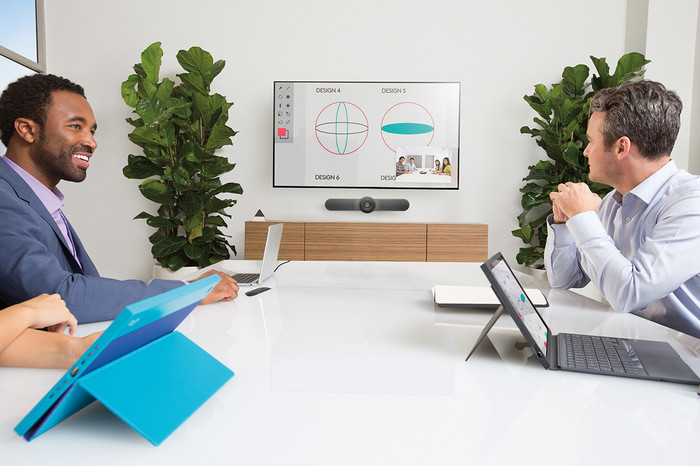
First impression When unpacking I find 2 boxes and of course the MeetUp. The boxes contain a power adapter, remote control, USB cable of 5 meters, a wall mounting bracket and mounting material. In addition, the package also contains 2 batteries for the remote control. The only thing that is not included is a USB 3.0 cable, which you need to achieve a 4K image resolution. For use, I only had to connect the power adapter and the USB cable. After that I was able to join my meeting immediately. This conference cam is best mounted under a large screen in the meeting room, as a kind of soundbar. This leaves enough space on the table for things you need during the meeting.
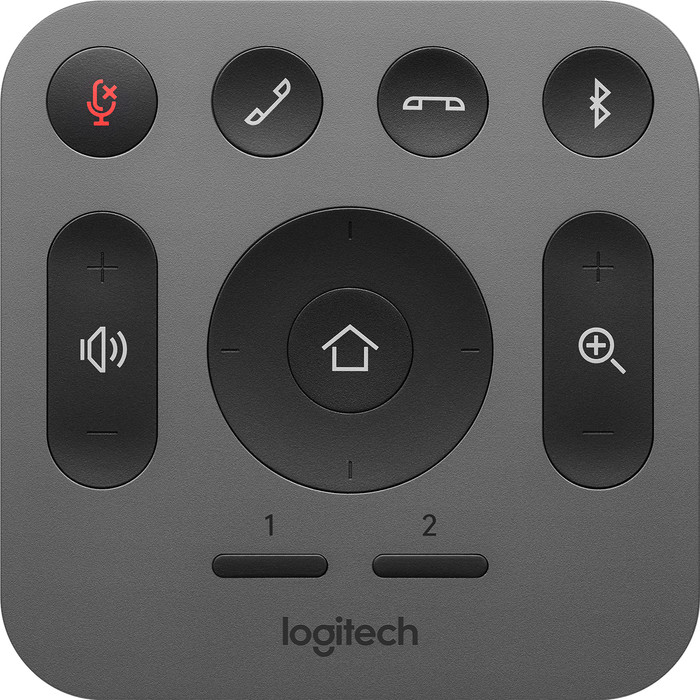
Adjust settings at the touch of a button What I find useful about the MeetUp is the included remote control. This allows me to easily operate the camera from a distance. There are some basic buttons that are always handy, such as muting the microphone, answering or ending a call, and adjusting the volume. Still, some other buttons stand out for me. There is a button for zooming in and out of your image and a button for tilting the camera. This gives me the best possible picture of everyone. Linking the camera via bluetooth is also possible via this remote control and works smoothly.
Clear picture and sound The highlight of this Logitech conference cam is the 4K image quality. Please note, because the necessary USB 3.0 cable that you need for this is not included. When you have connected the camera with a USB 3.0 cable, you immediately enjoy a beautiful image. The image is very sharp and detailed, so that everyone in the conference room is clearly visible. Due to the wide viewing angle of 120 degrees, colleagues can easily join a meeting. They are also clearly visible. In addition, Logitech has 3 sound-isolating microphones, so that everyone in the room can be heard clearly. My colleague who works from home hears every colleague in the room clearly speaking. Meanwhile, background noise is filtered out. The sound that comes from the speakers of the MeetUp is clear, so I can understand my conversation partners well. All in all, with this conference cam you can easily join even the most professional meeting.
Elaine. Webcam specialist.
13 July 2022
Automatically translated from Dutch
Works great, good video quality, but for 1000 euros I expect it to work perfectly with e.g. Teams and that a USB3 cable is included.
Raimond
20 March 2020
Automatically translated from Dutch
Good solution if you want something that works easily and quickly, without having to invest in an expensive video conferencing system.
Erik Vollebregt
10 September 2020
Automatically translated from Dutch
Coolblue takes care of everything, from taking out an insurance to repairs
For almost all accidents
More coverage in case of damage than your standard warranty
No deductible
First, add your webcam to your shopping cart. On the next page, choose one of the Protection Plans below. You always have a 30-day return window and pay no deductible in case of damage or theft.
2-year Protection Plan
15,99
one-time2-year Protection Plan with theft cover
24,99
one-time3-year Protection Plan
24,99
one-time3-year Protection Plan with theft cover
39,99
one-time
Product number | 782581 | |
|---|---|---|
Manufacturer code | 960-001102 | |
Brand | Logitech VC | |
Warranty | 2 years | |
Processing of your defect | Via Coolblue | |
Old product returned for free |
Plug and Play | ||
|---|---|---|
Compatible with operating system | Windows, macOS | |
Sharpness | 4K Cinema | |
Autofocus | ||
Wide-angle | ||
Facial recognition | ||
Automatic brightness adjustment | ||
Coverable lens | ||
Tiltable | ||
Type of webcam holder | Desk stand | |
Built-in microphone | ||
Microphone noise suppression | ||
Microphone recording type | Mono |
Type of USB port | Standard USB-A | |
|---|---|---|
Connection type | Wired | |
Compatible with operating system | Windows, macOS | |
Cable length | 5 m |
Width | 400 mm | |
|---|---|---|
Depth | 85 mm | |
Height | 104 mm | |
Weight | 1,04 kg | |
Color | Black | |
Material | Plastic | |
Finish | Matte and glossy |